Why Is Your Website Not Ranking on Google?
Diagnose indexing barriers, crawl blockages, content mismatch, and authority deficits using a structured technical troubleshooting tree.
The Critical Distinction: Crawling vs. Indexing vs. Ranking
When business owners notice their site is not appearing in Google search results, the common reaction is to assume Google has penalized their business. In reality, ranking failure usually traces back to a breakdown in one of three fundamental stages:
- Crawling: Googlebot must discover your URL and fetch the HTML without server errors or firewall blocks.
- Indexing: Google must parse, render, and store your page in its global search index.
- Ranking: Google's algorithms must evaluate your indexed page against hundreds of competitors for a specific search query.
If your page is not indexed, it cannot rank. If it is indexed but lacks relevance or authority, it will languish on deep search pages. Here is how to diagnose where the breakdown occurs.
Phase 1: Verify Google Search Console Coverage
Google Search Console (GSC) is the authoritative diagnostic source for search visibility. Open the Pages report to inspect the status of your URLs:
- Discovered – currently not indexed: Google found the link, but has not yet crawled the page due to crawl budget constraints or perceived low initial priority.
- Crawled – currently not indexed: Googlebot crawled the page, but chose not to index it. This is typically a content quality or duplication signal.
- Excluded by 'noindex' tag: The page contains a
<meta name="robots" content="noindex">directive or anX-Robots-Tag: noindexHTTP header.
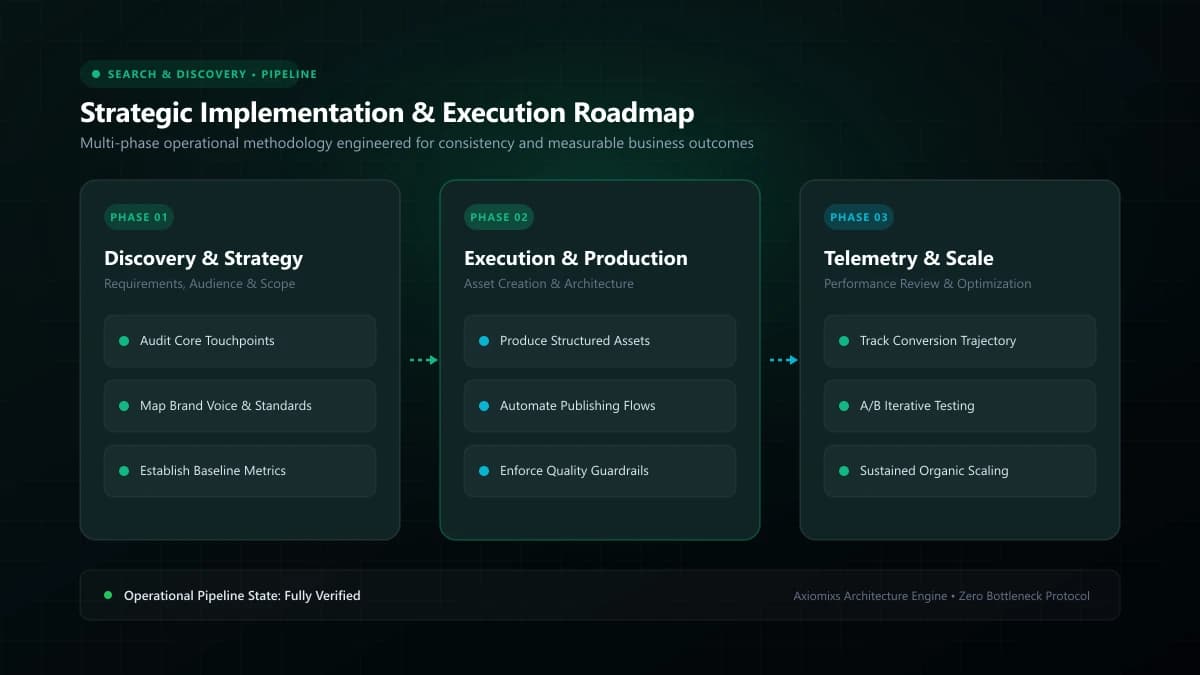
Figure 1.0 / System workflow showing the difference between Google crawling, indexing, and actual competitive ranking
Phase 2: Inspect Robots.txt and Canonical Directives
A surprising number of ranking issues stem from accidental developer configuration errors:
- Robots.txt Misconfiguration: Ensure your
robots.txtfile does not contain a broadDisallow: /rule that inadvertently instructs search engines to ignore your entire public directory. - Conflicting Canonical Tags: Verify that each page's
<link rel="canonical" href="...">points to its own unique URL rather than defaulting to the homepage or a staging domain.
Phase 3: Diagnostic Troubleshooting Matrix
| Observed Symptom | Primary Root Cause | Corrective Engineering Action |
|---|---|---|
Zero pages returned in site:domain.com |
Accidental noindex tag or site-wide crawl block |
Audit robots.txt and remove staging noindex tags from production build. |
| New articles take weeks to appear in index | Weak internal linking and missing sitemap | Submit verified XML sitemap in GSC and link new posts from high-authority pages. |
| Page indexed, but ranks on page 5+ for target keyword | Mismatch with user search intent or thin content | Analyze top-ranking pages, expand comprehensive answers, and optimize H2 structures. |
| Rankings abruptly dropped across all pages | Algorithmic update, manual action, or broken redirects | Check GSC Security & Manual Actions tab; review recent site code releases. |
Figure 2.0 / Audit checklist table prioritizing technical SEO fixes from robots disallows to Core Web Vitals
Phase 4: Match User Search Intent Rigorously
Google does not rank pages based on keyword density. It ranks pages that best satisfy the searcher's core query intent. If a user searches for an informational troubleshooting guide, but your page is an aggressive sales pitch with no practical steps, Google's behavioral metrics will quickly downgrade your position.
Phase 5: Technical Performance and Core Web Vitals
While content relevance is primary, poor technical performance acts as a silent anchor. Excessive cumulative layout shift (CLS), sluggish interaction to next paint (INP), and bloated time to first byte (TTFB) degrade user satisfaction and harm ranking competitiveness in crowded search categories.
Frequently Asked Questions
How long does it realistically take for a new website to rank on Google?↓
For a brand-new domain with zero historical authority, initial indexing occurs within days or weeks, but ranking competitively for commercial-intent keywords typically takes 3 to 6 months of consistent content publication, technical optimization, and natural link acquisition.
How do I check if Google has actually indexed my website?↓
Perform a 'site:yourdomain.com' search in Google or inspect your specific page URLs inside Google Search Console's URL Inspection tool to verify index status and crawl timestamps.
Can technical errors prevent high-quality articles from ranking?↓
Yes. Even exceptional content will fail to rank if blocked by accidental 'noindex' meta tags, disallow directives in robots.txt, broken canonical tags, or heavy client-side JavaScript that search engine bots cannot render.
Need a Comprehensive Technical SEO Audit?
Axiomixs conducts in-depth technical search audits, identifying crawl barriers, schema gaps, and structural issues that inhibit organic growth.
Explore Technical SEO Services →Related Engineering Guides
A Practical SEO Checklist for Small Businesses
A prioritised, actionable SEO roadmap designed for small businesses to build technical foundations, publish high-intent content, and measure growth.
Local SEO for Small Businesses: A Beginner's Guide
Learn how local search works, how to configure your Google Business Profile legitimately, and how to build local authority without spam tactics.
Technical SEO vs On-Page SEO: What's the Difference?
Understand how technical infrastructure and on-page content optimization work together to build strong search visibility and rankings.